Project Management Dashboard
59€
This project management Excel template shows detailed and overviews of project’s progress, tasks’ status, upcoming work and deadlines, assignee’s workload, expense, and budget status. It will help you execute work more effectively and identify risks. It provides a four-week project timeline to visualize tasks’ progress over time, stay on track and hit deadlines.
This template is helpful for planning, scheduling, and tracking projects from start to end. It is best for teams and project managers looking to visually map out their project plan, track progress KPIs, and hit the deadlines.
This project management Excel template shows detailed and overviews of project’s progress, tasks’ status, upcoming work and deadlines, assignee’s workload, expense, and budget status. It will help you execute work more effectively and identify risks. It provides a four-week project timeline to visualize tasks’ progress over time, stay on track and hit deadlines.
This template is helpful for planning, scheduling, and tracking projects from start to end. It is best for teams and project managers looking to visually map out their project plan, track progress KPIs, and hit the deadlines.
This project tracking template includes two reports:
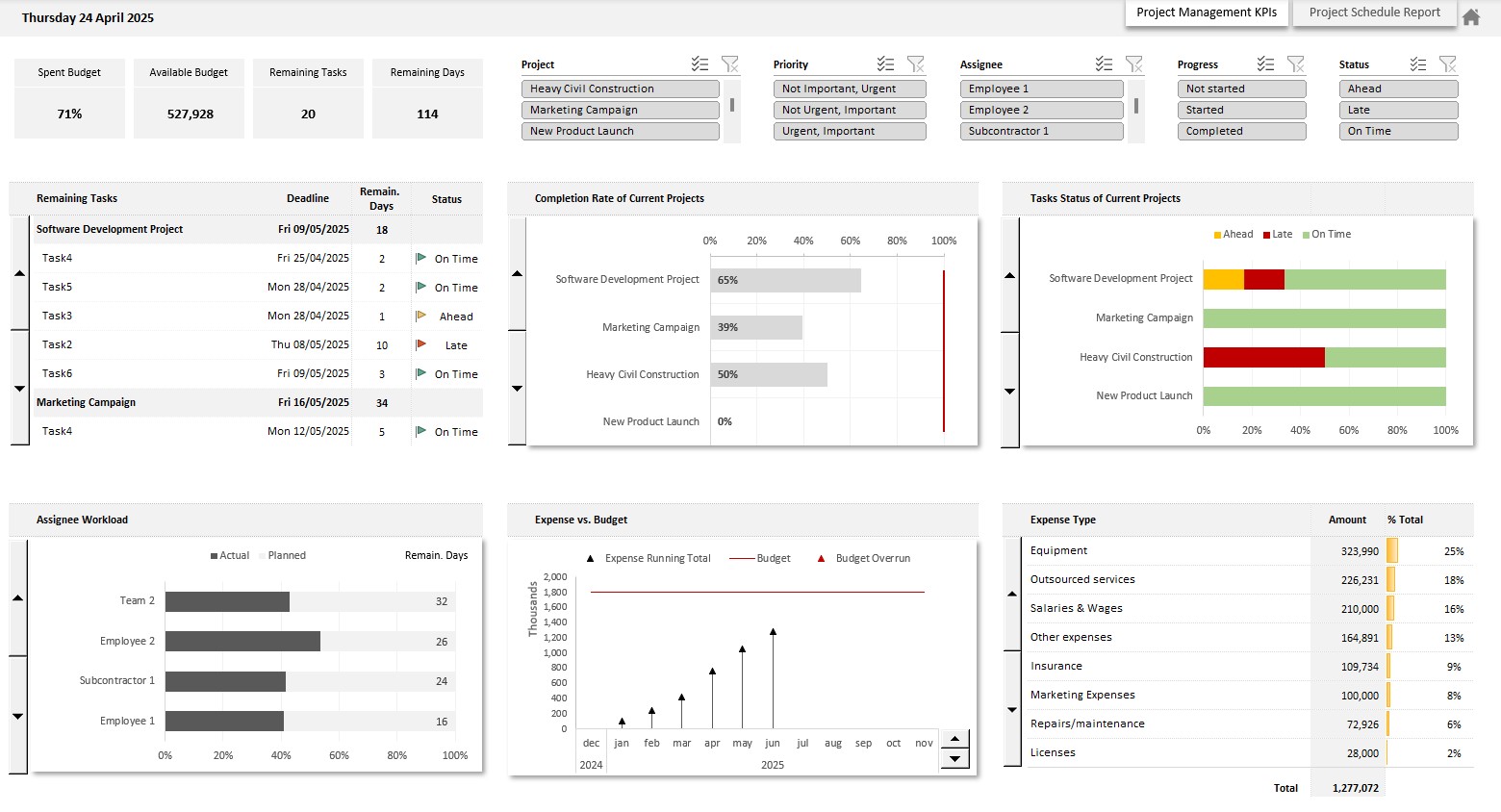
Project Tracking Report
Shows key metrics for projects progress tracking:
- Projects completion rate and remaining duration
- Remaining tasks deadlines, and status: Ahead, On Time, Late
- Assignee workload Progress vs Plan
- Expense and remaining budget
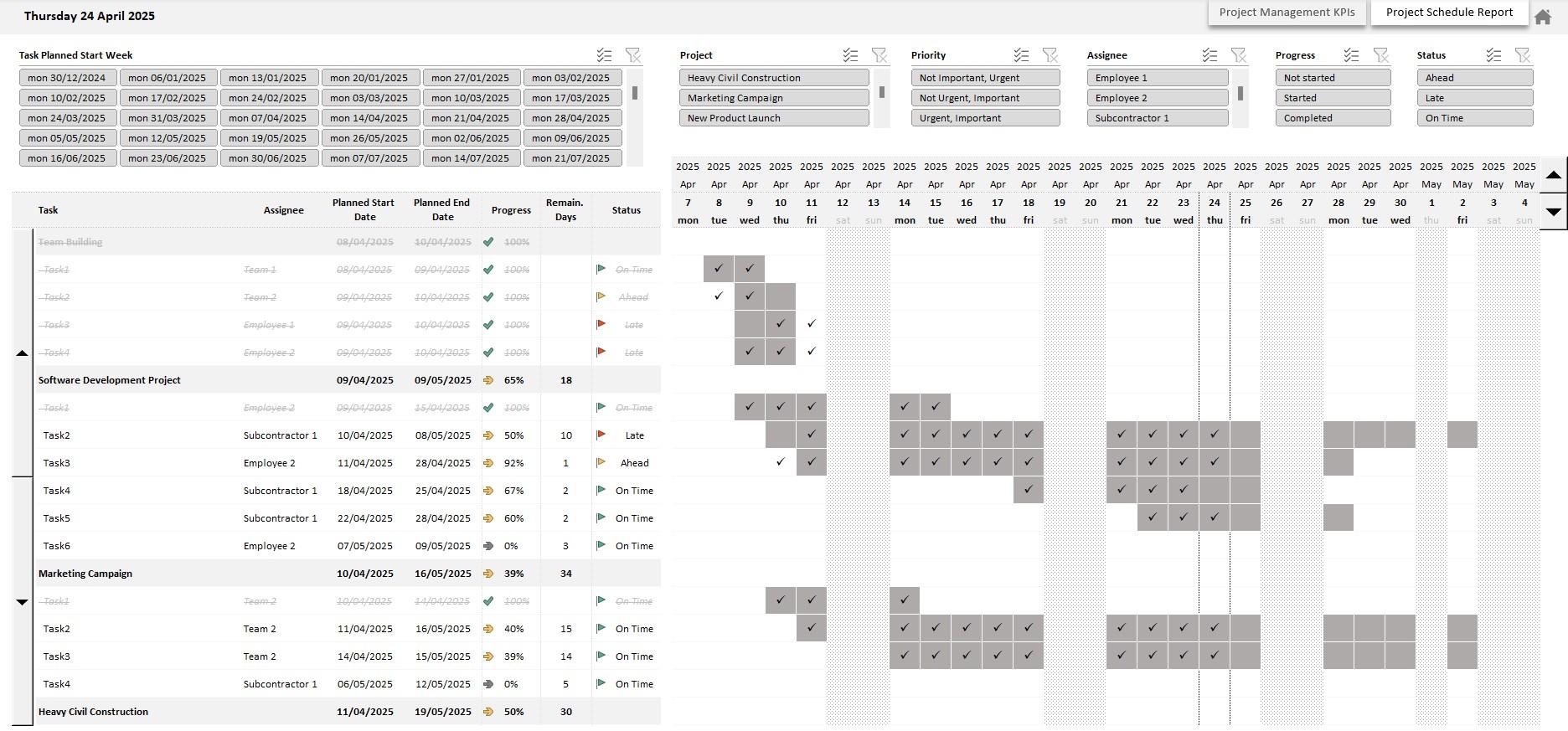
Project Schedule
Shows projects’ schedule by visualizing tasks over time:
- Four-week project timeline
- Project planning and scheduling from start to end, project progress, remaining duration, and tasks’ assignee
- Completed, current and upcoming tasks
- Tasks status: Ahead, On Time, Late
Using this template is quite easy, you just need to:
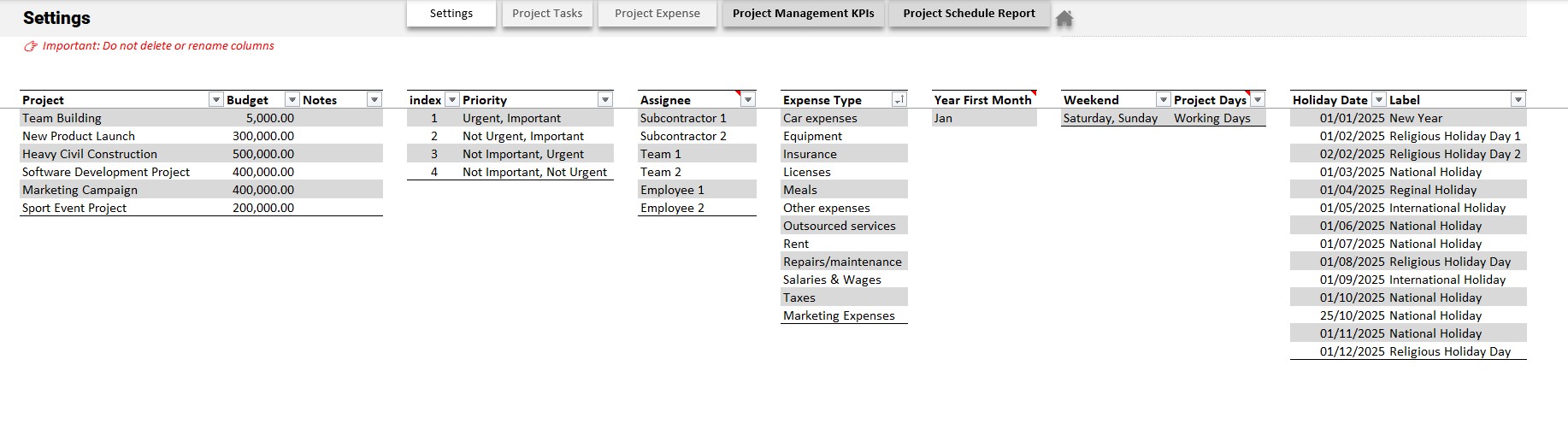
- Define your settings and budgets
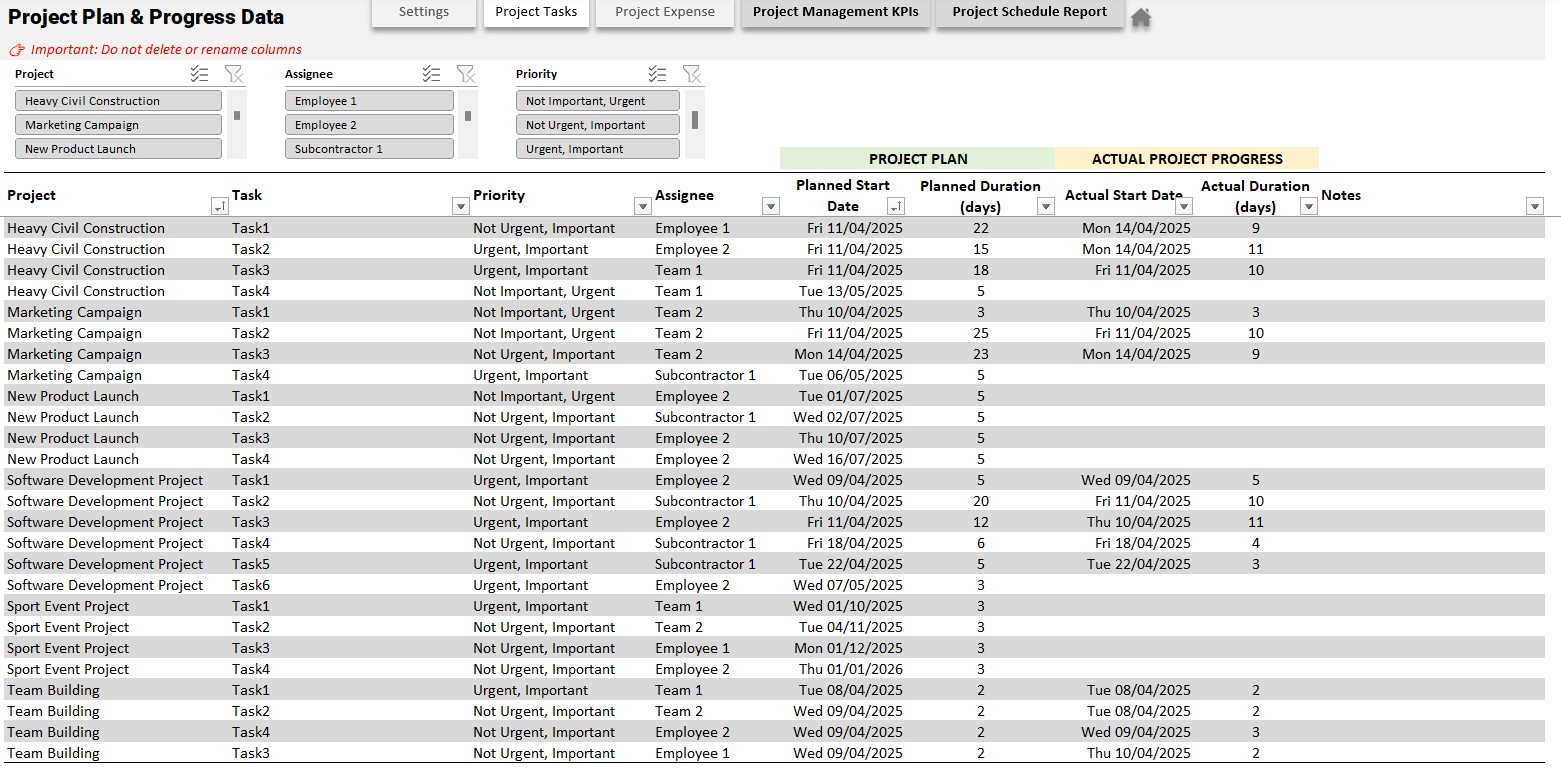
- Create the projects plans: what needs to be done, when, and by whom
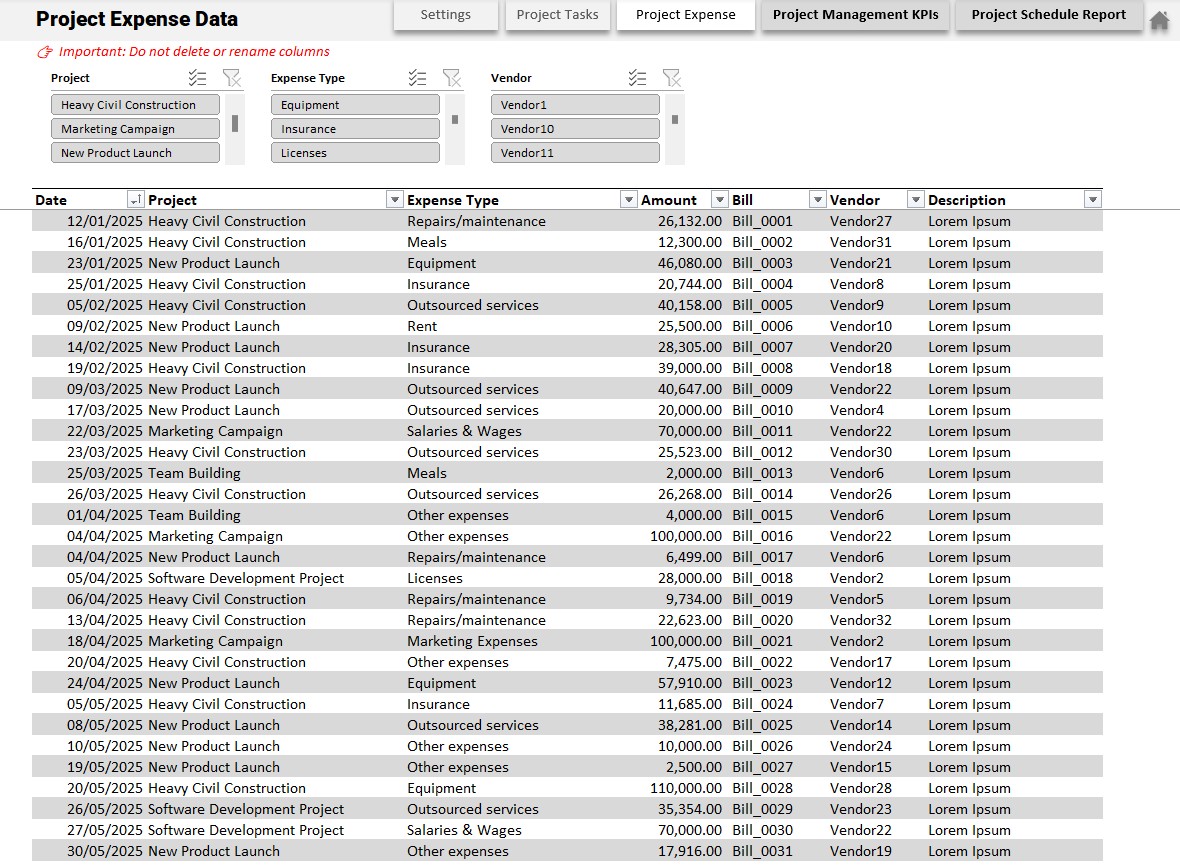
- Regularly update progress and expenses
Video:
Template Requirements and How to Use:
- Works on PC with Windows.
- Does not work on MAC.
- Requires Microsoft Excel 2016 or higher with Power Pivot add-in. 👉🏼 Watch this video to find out if your Excel version includes the Power Pivot add-in.
- Memory (RAM) 4 GB or more recommended.
- Allow Macros to run (enable content when opening file).
- Ready-to-use template, just enter or import your data.
- Dashboard ready to be printed.
- Instructions on the Excel file “User Guide”.
Customizable template:
Colors, fonts, and all style attributes can be changed to suit your needs. If you want to make changes on your own, just enter the password included with the file to unlock the template.
Included in the download:
- A template with sample data
- An empty template, ready to receive your data.
- A user guide
Download link:
- Downloads are available from your account once your payment is confirmed.
Warning:
We have put a lot of effort into providing you with a quality work tool at a reasonable price. We kindly ask you to respect the copyright so that we can continue to exist, develop and improve our services. Thank you.
Once purchased, it is prohibited to resell, redistribute, sublicense, assign or transfer this file to anyone in any form. Please read our terms and conditions before purchasing this product.
| Software | Microsoft Excel |
|---|