AI-Augmented Skills Development Plan
79€
Build, manage and track your Skills Development Plan (SDP) through a structured approach that guides you from needs analysis to a strategic dashboard. Designed around a consistent workflow, this Excel workbook guides you through each step and automates the required processing.
It helps you move beyond a simple list of training courses to a genuine skills development plan aligned with job requirements, regulatory obligations and your company’s priorities.
Its skills frameworks and job role sheets support recruitment, onboarding, assessment and internal mobility. It also helps structure skills management as part of preparation for ISO 9001 certification.
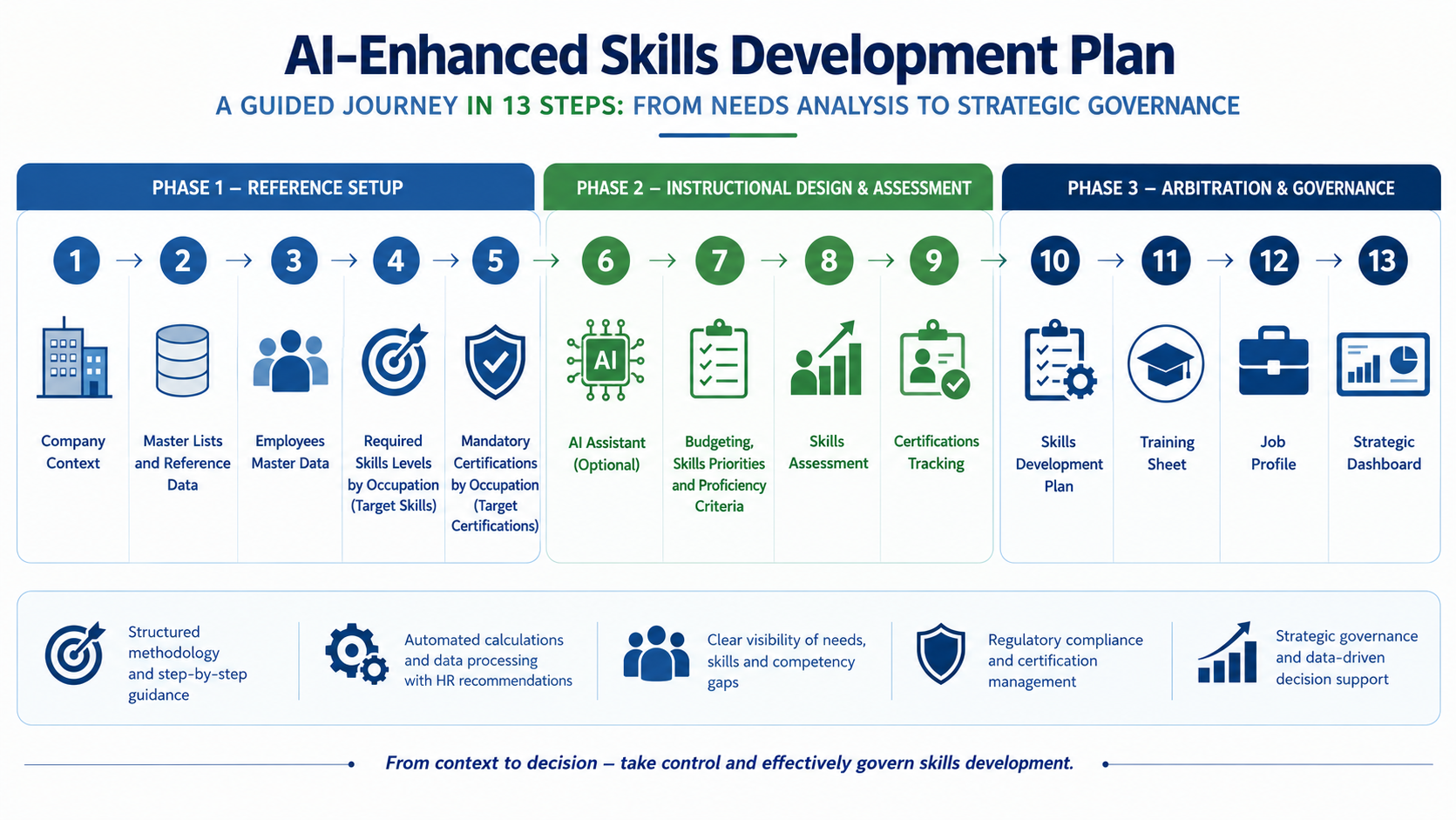
This Excel workbook guides you through a structured process, from needs analysis to Skills Development Plan (SDP) management:
1. Structure your HR skills framework
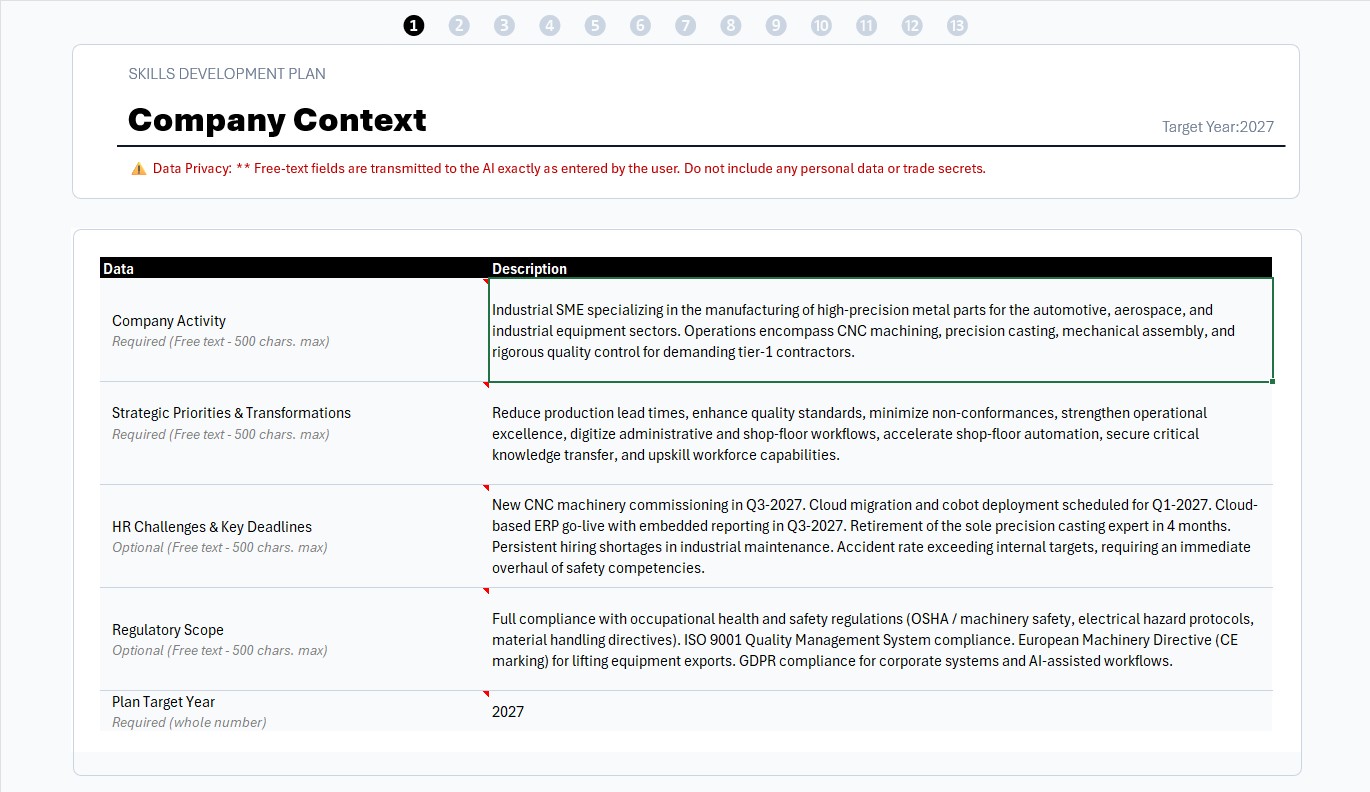
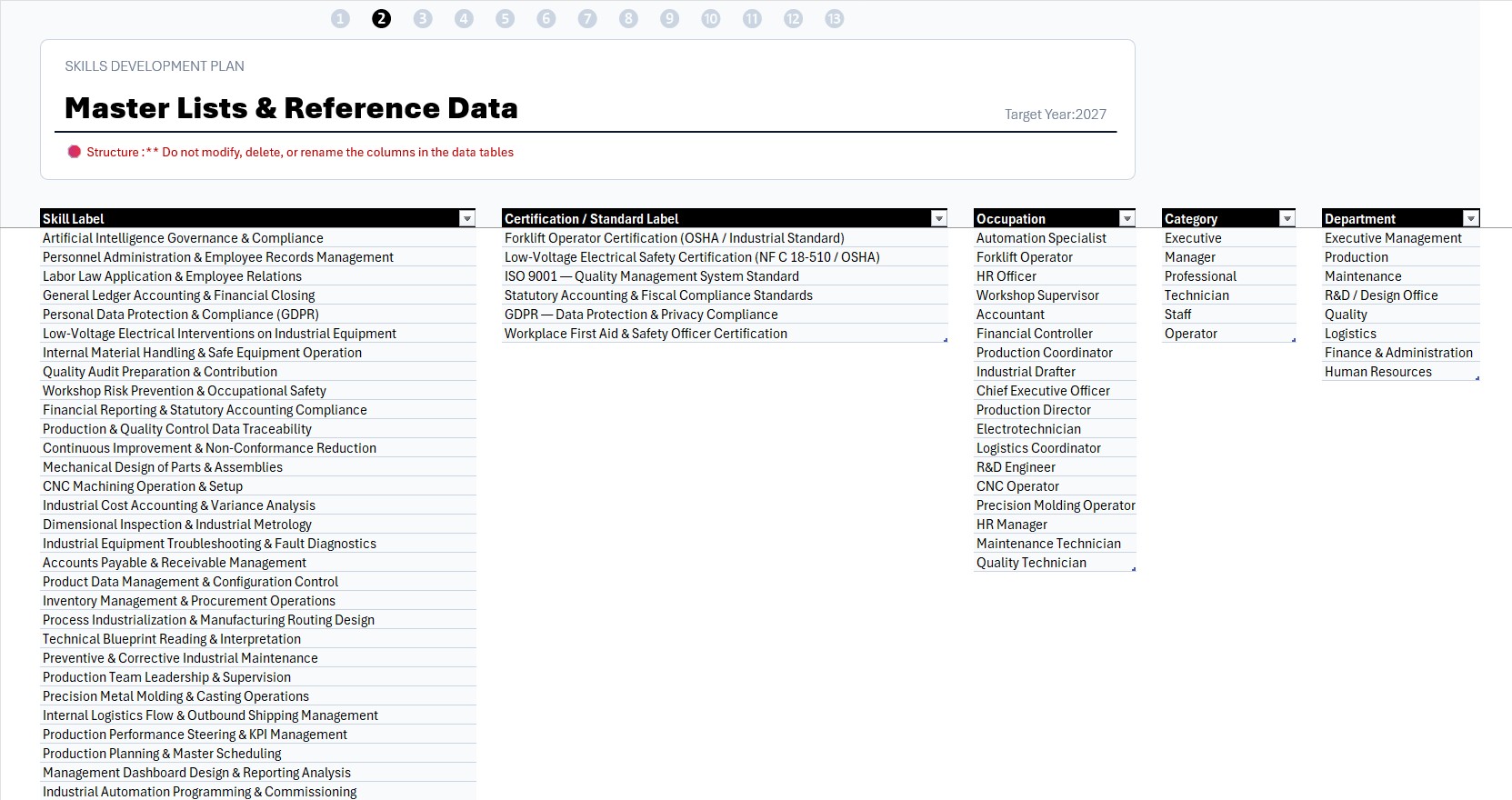
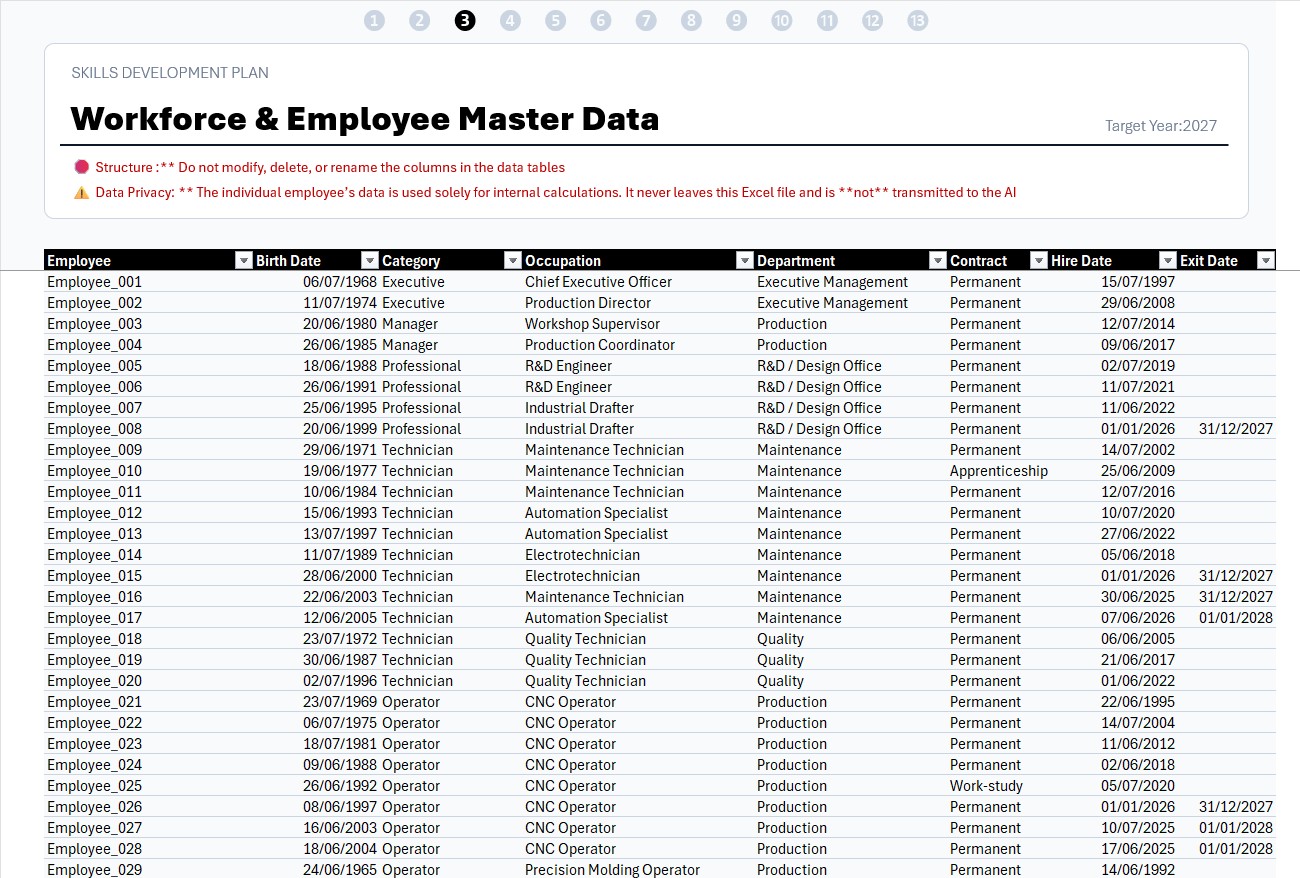
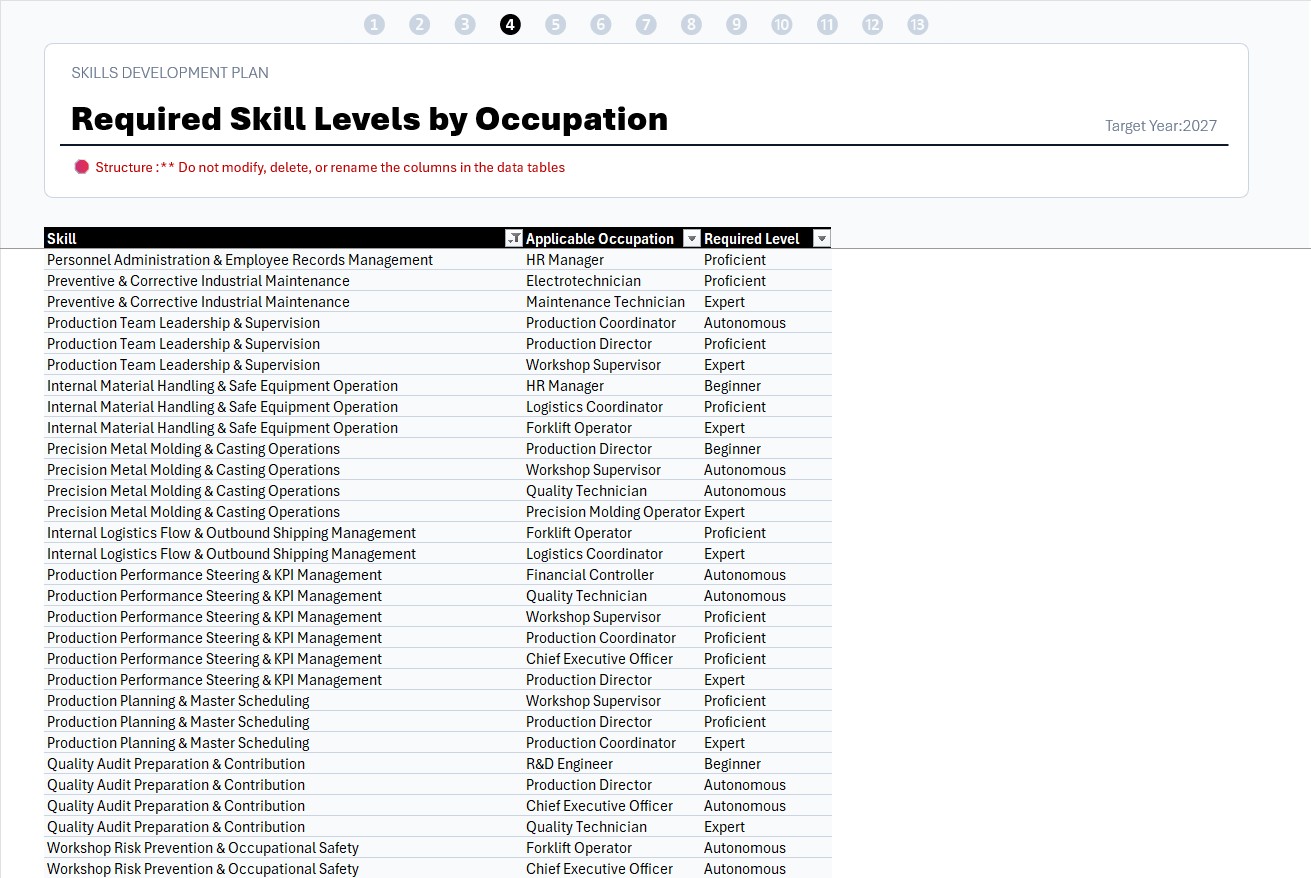
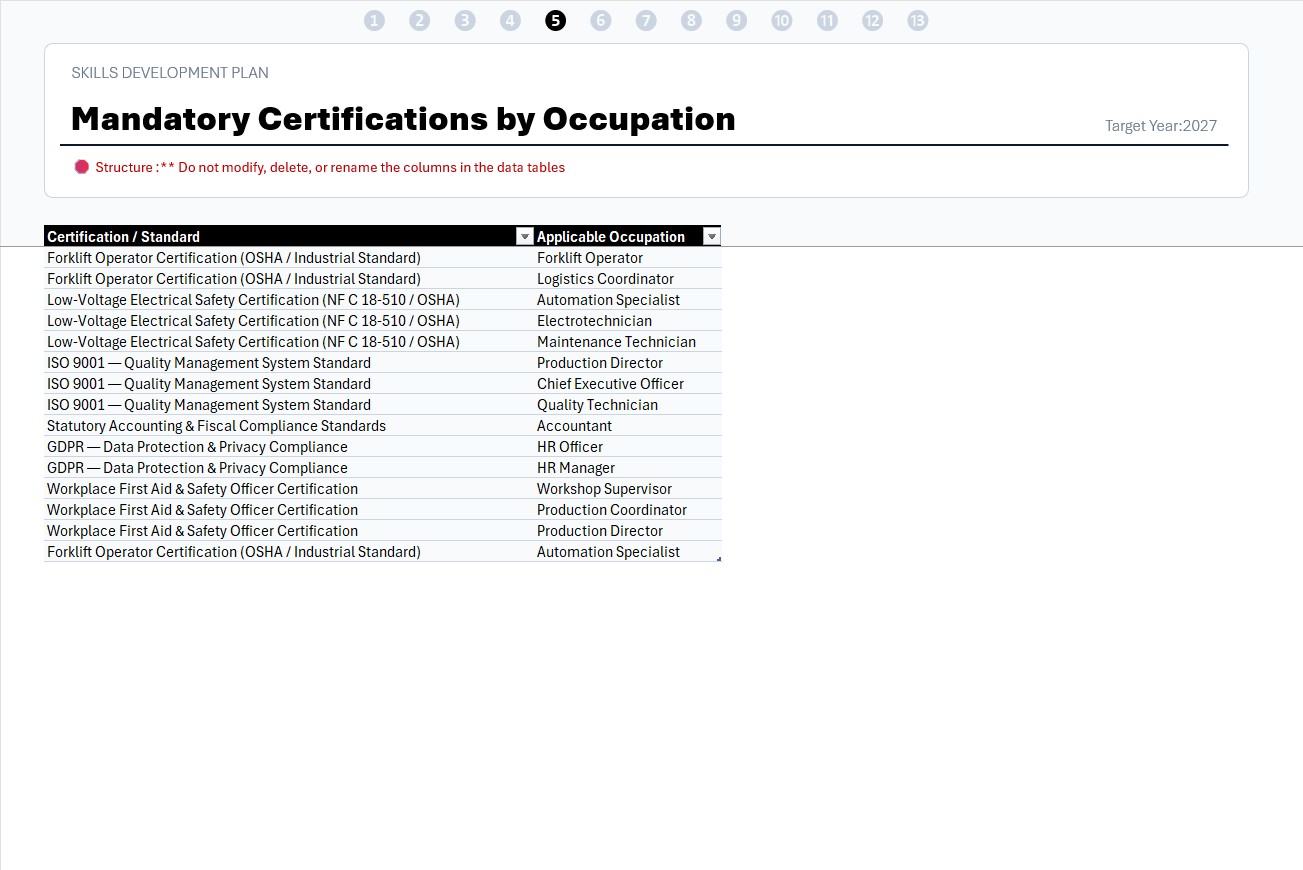
Start by defining your company’s context, its job roles and employee data. Then identify the skills required, the expected proficiency levels and the authorizations or certifications needed for each job role.
This gives you a structured foundation for clearly defining what your teams need to be able to do.
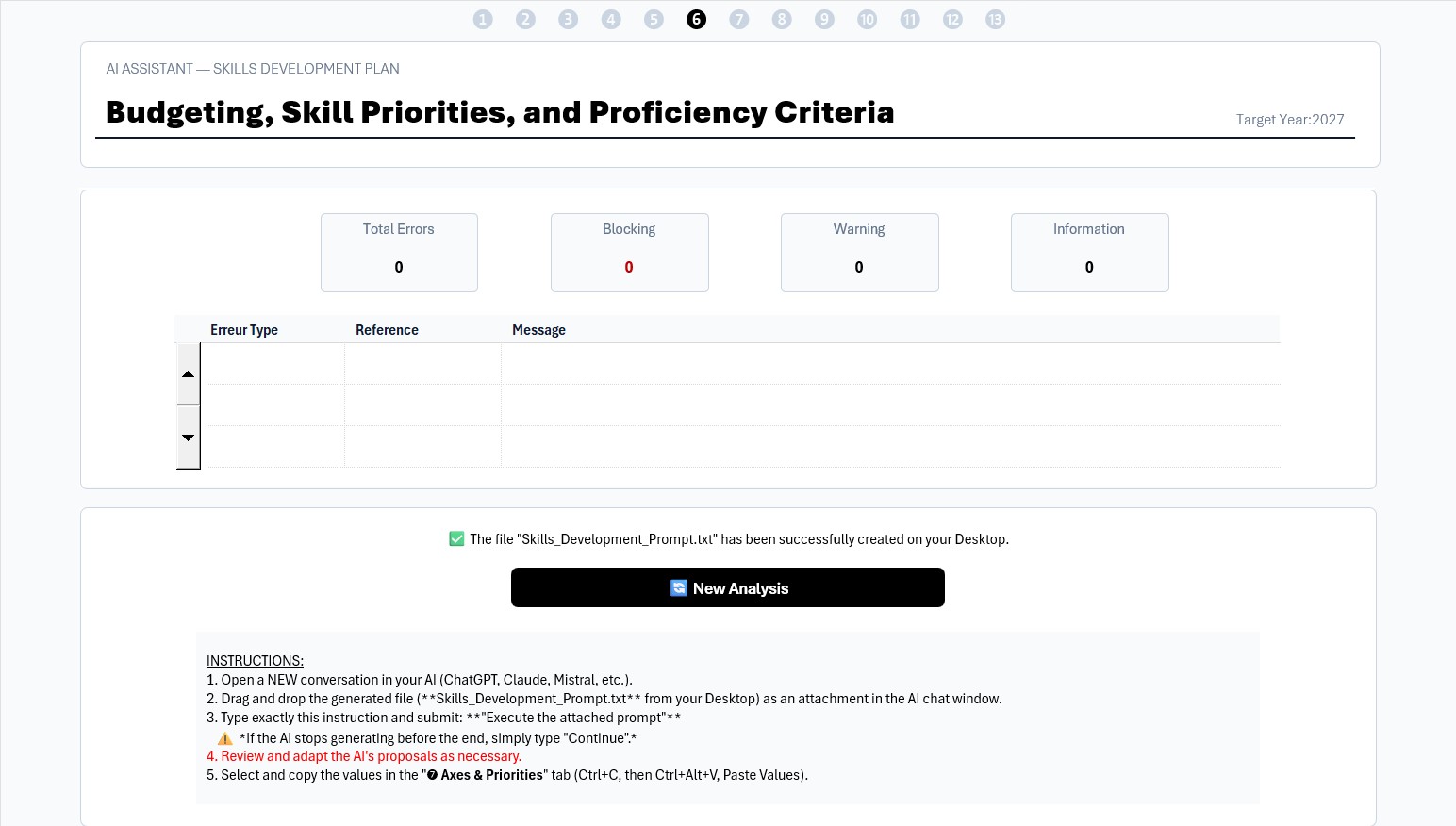
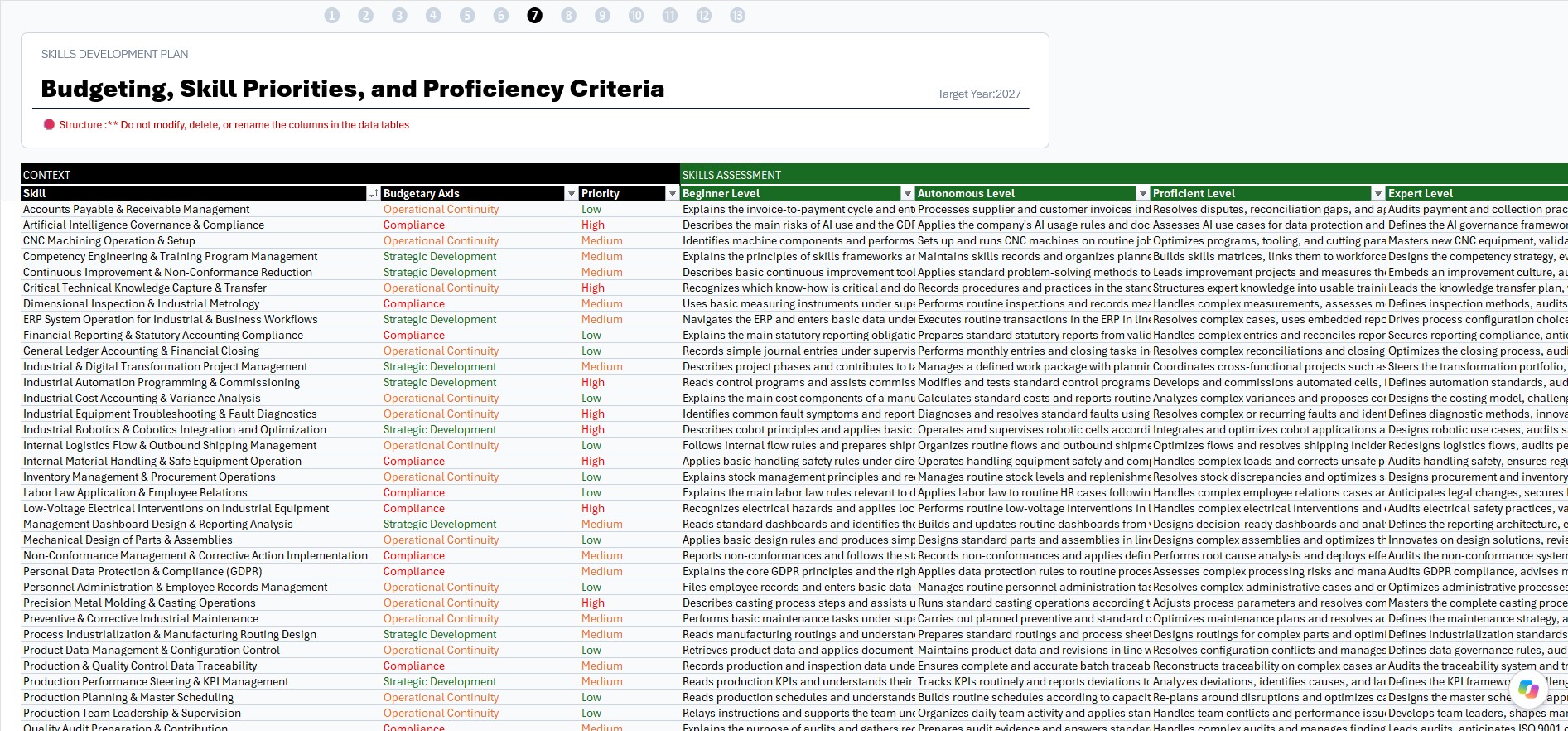
2. Set priorities and proficiency criteria with AI support
The tool can generate an AI prompt to analyse the identified skills, classify them by budget category — Compliance, Operational Continuity and Strategic Development —, assign a priority level and draft observable criteria for four proficiency levels. You can then review, validate or adjust these suggestions.
Using AI is optional: you can enter your own data.
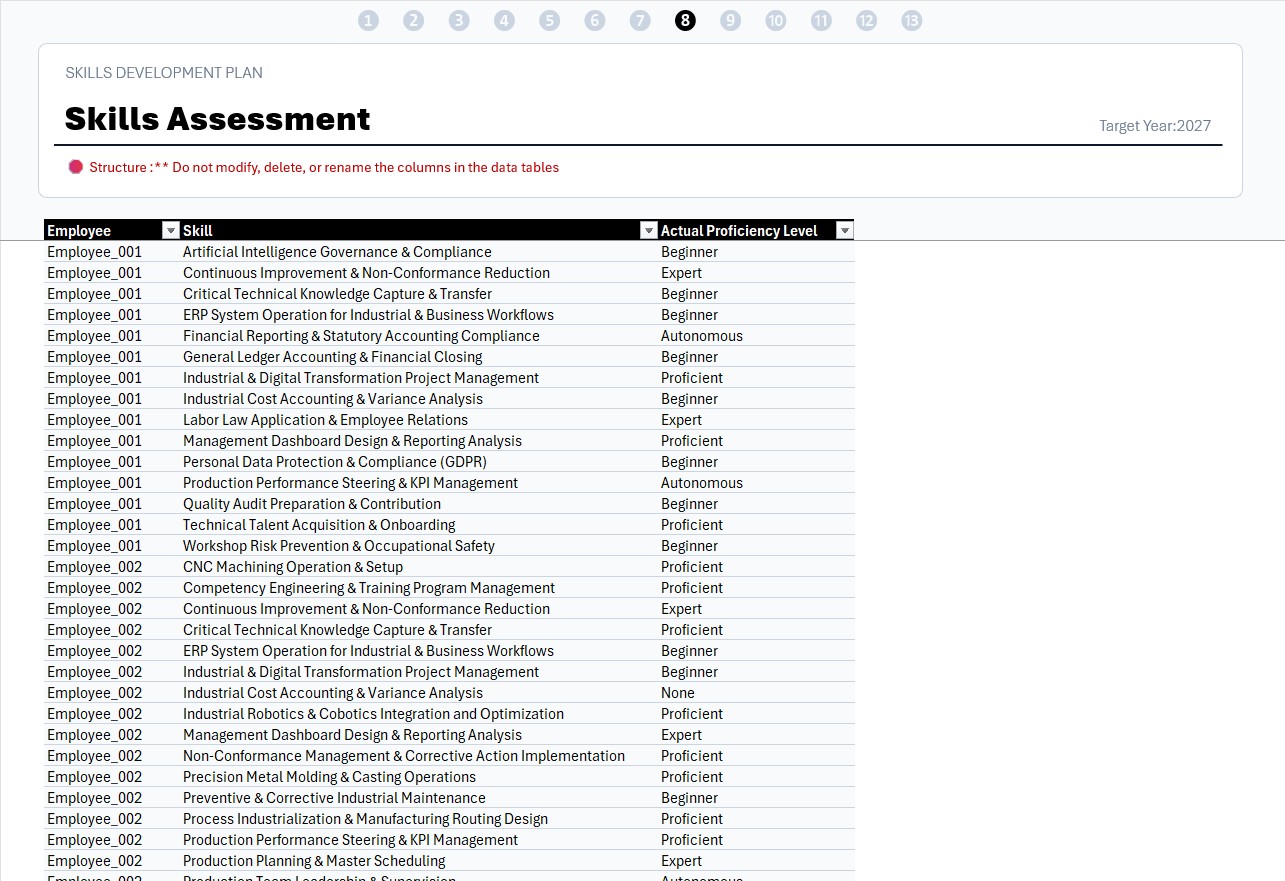
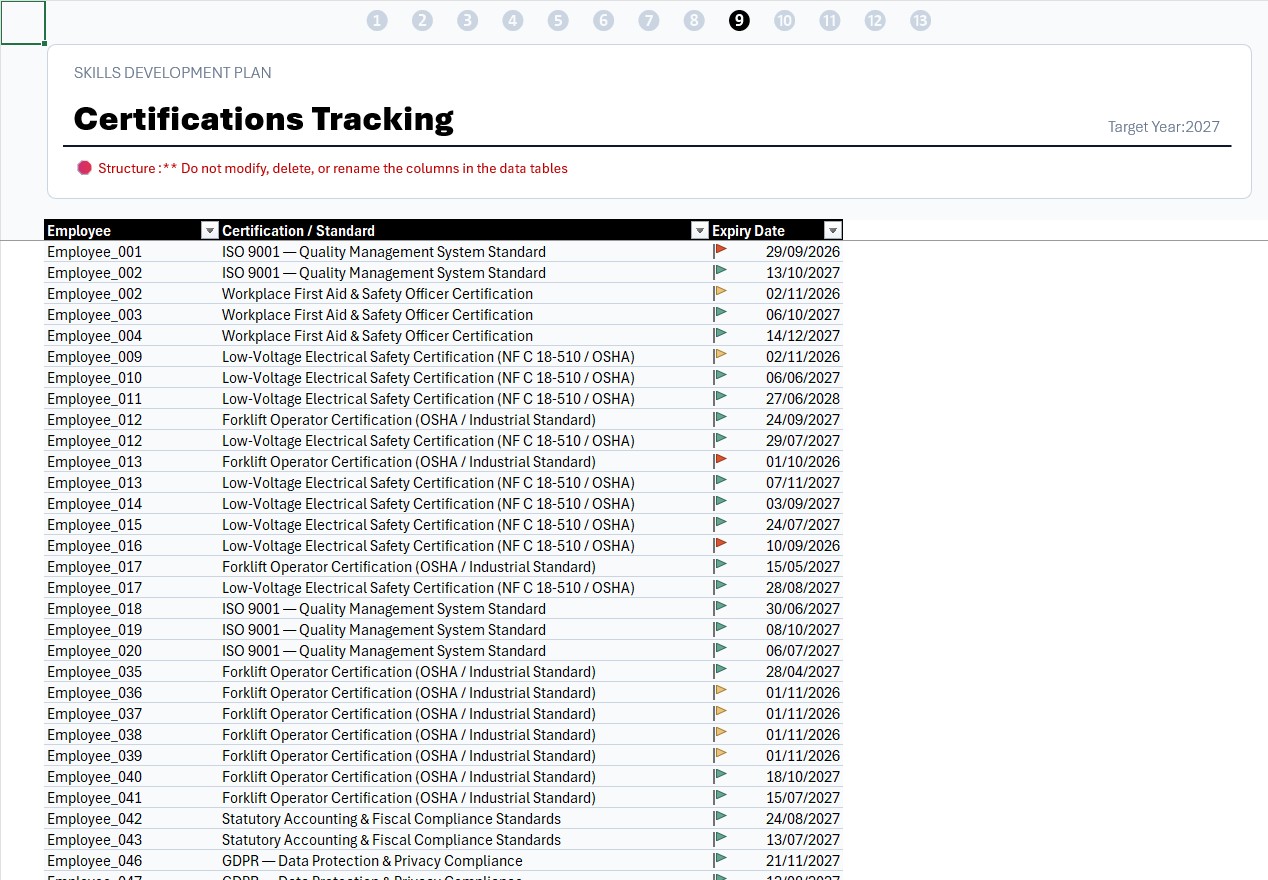
3. Assess skills and track required certifications
The tool automatically generates assessment rows for the skills required for each employee, as well as tracking for the certifications associated with their job role.
Managers assess actual proficiency against the criteria, while HR records certification validity dates. This gives you a structured view of the gaps between requirements and the teams’ current capabilities.
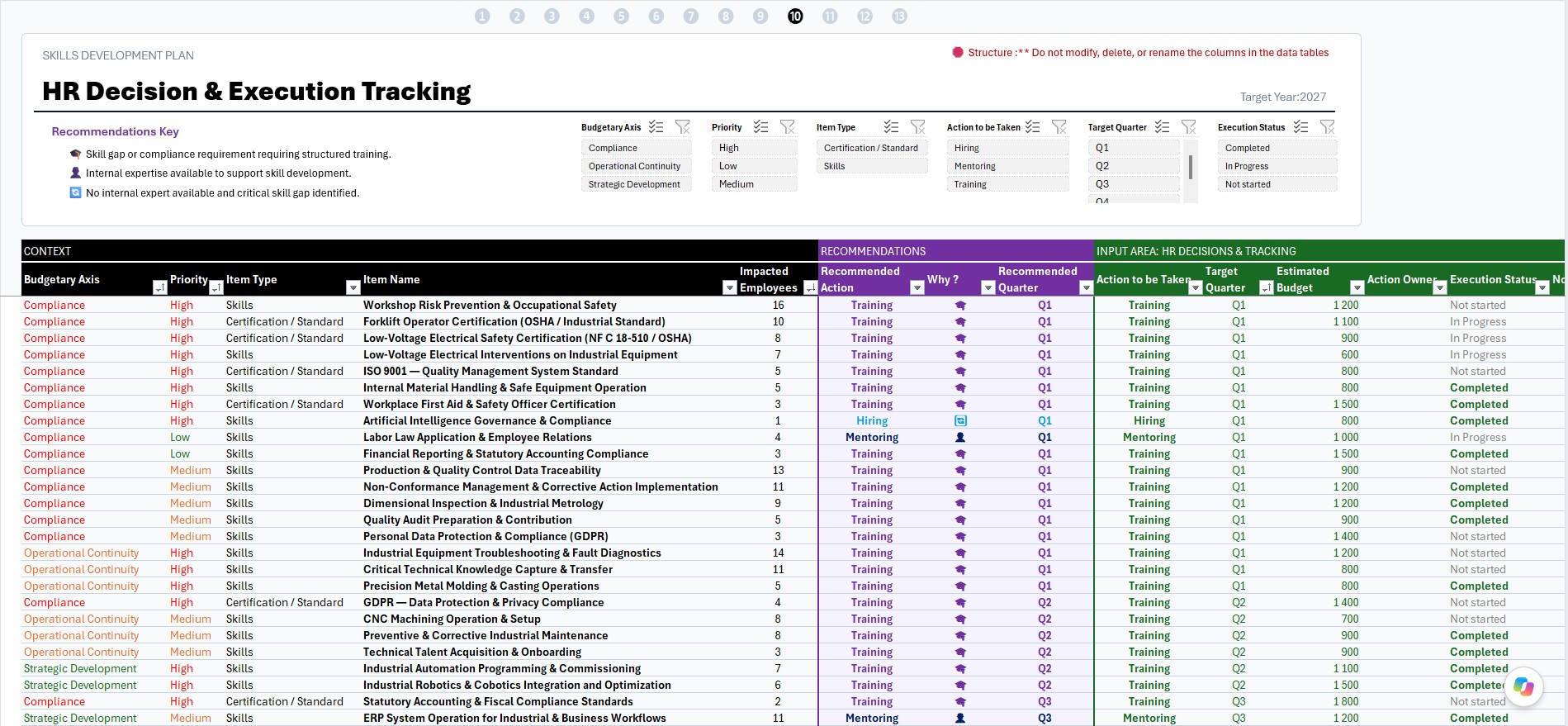
4. Build and make decisions on your SDP
Based on the identified gaps, the tool consolidates needs, counts the employees concerned and suggests HR actions along with a target quarter.
You retain control over decisions such as the type of action — training, mentoring or recruitment, for example —, the estimated budget and the target quarter. You can build an actionable plan while keeping operational and budget constraints in view.
5. Prepare your HR actions in practical terms
Decisions recorded in the SDP automatically populate ready-to-use working documents.
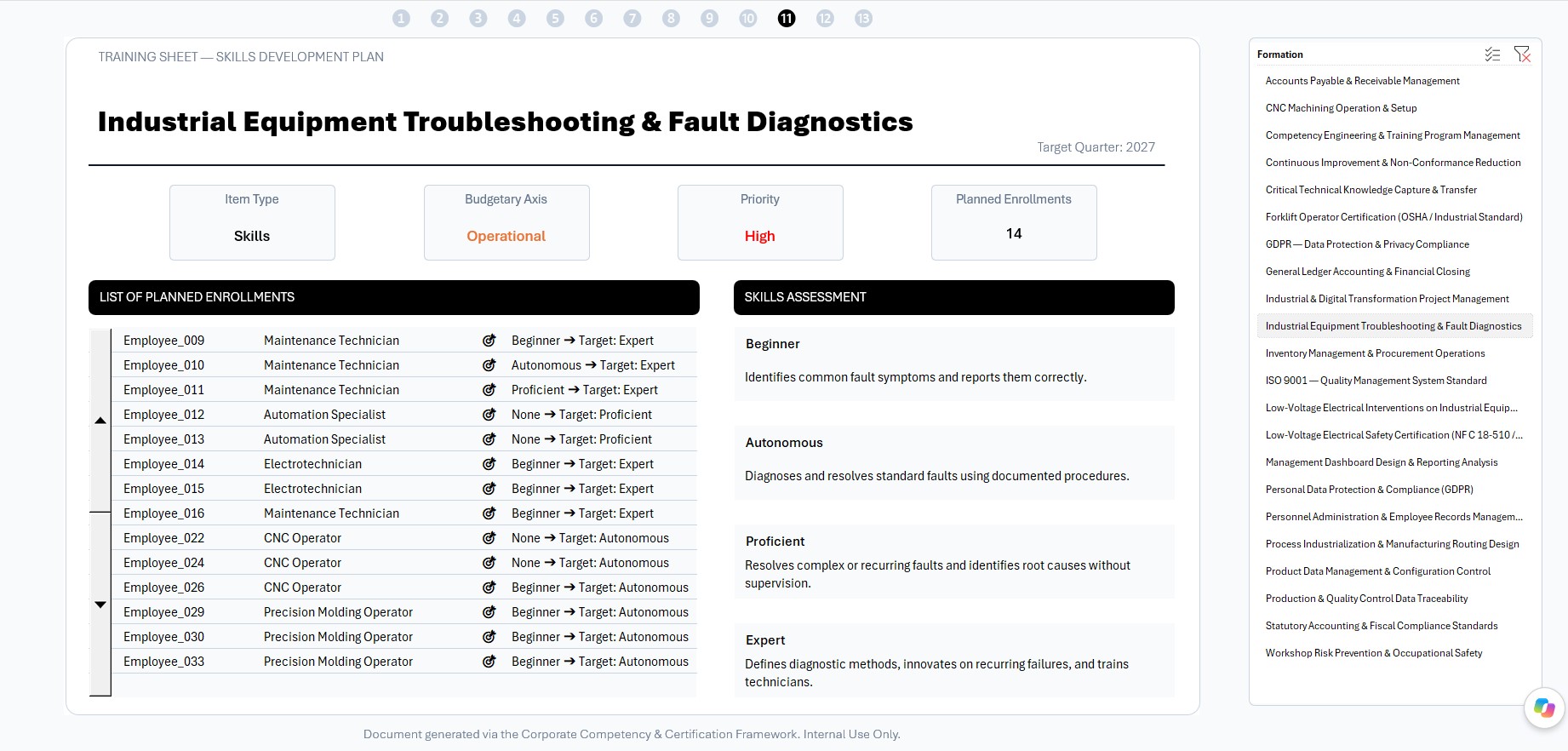
- Training Sheets : identify the employees concerned, their current and target proficiency levels, and the related mastery criteria. Use this information to define learning objectives and negotiate with or select training providers.
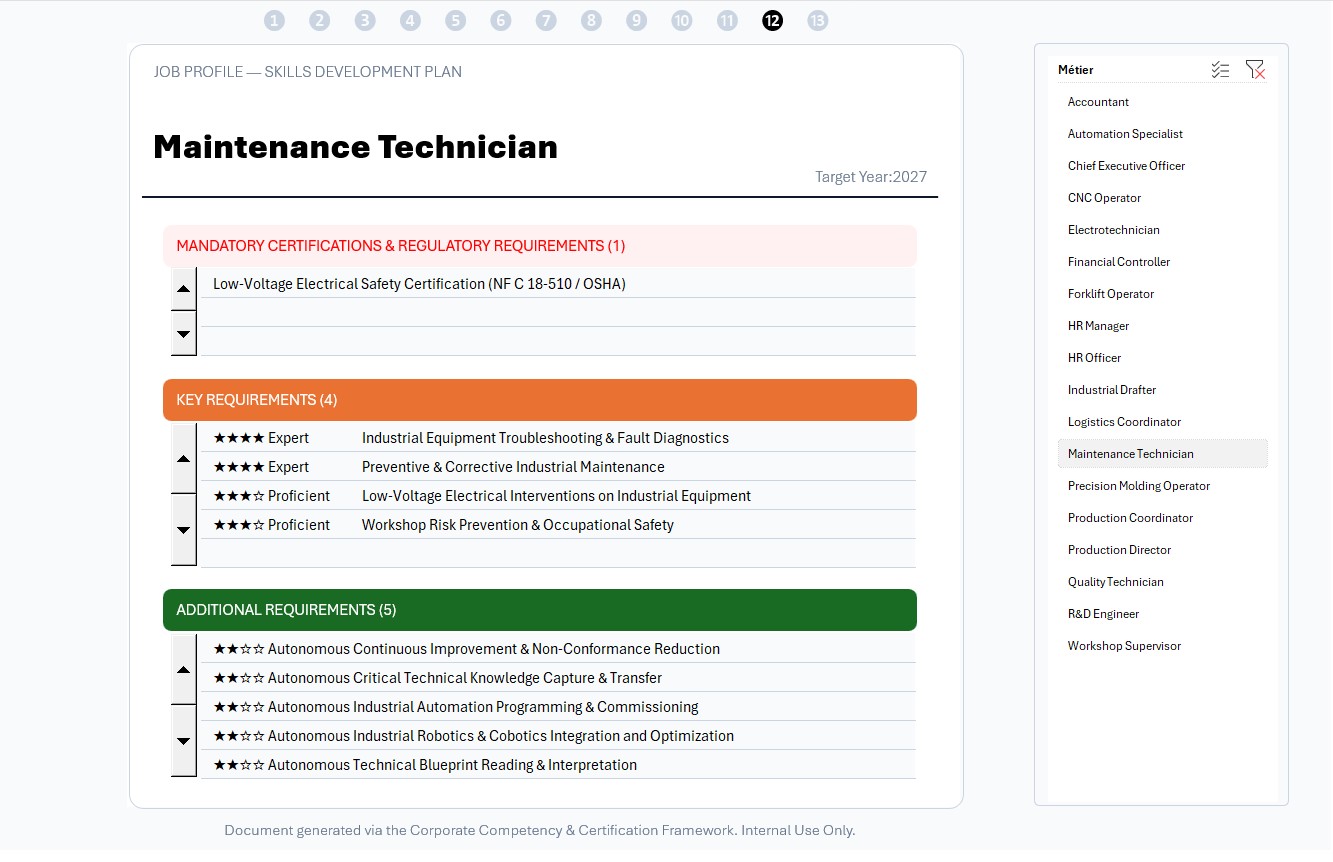
- Job Role Sheets : show the required certifications, core skills and complementary skills for a position. Use this framework to support recruitment, onboarding and annual performance reviews.
6. Monitor implementation with a strategic dashboard
View the main indicators for your SDP:
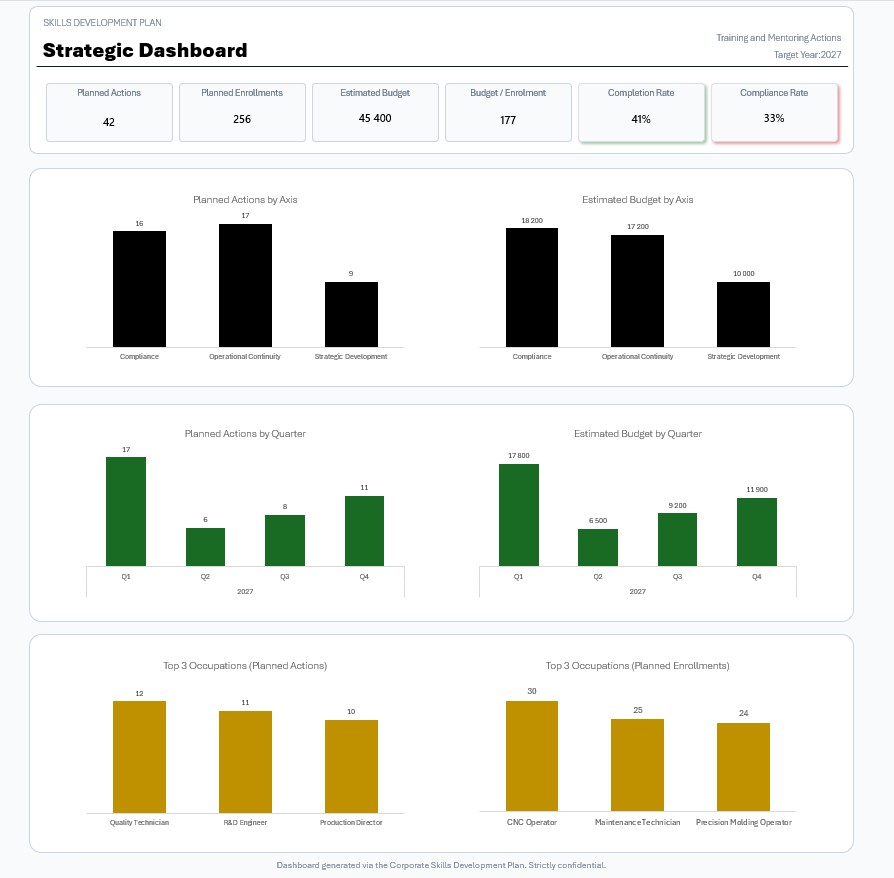
- KPIs : number of planned actions, estimated budget, progress rate and regulatory compliance rate.
- Workload planning : track the distribution of actions and budgets by quarter and strategic category.
- Top 3 by Actions : identify the job roles undergoing the greatest transformation, with many skills to acquire.
- Top 3 by Participants : identify the job roles with the most employees scheduled for training, helping managers anticipate schedules and maintain operational continuity.
You get a consolidated view to monitor plan implementation and prepare management reviews with senior leadership.
A practical tool for skills management
This Excel workbook handles repetitive operations and calculations that can make building a Skills Development Plan time-consuming:
- Automatically calculates gaps between expected skills and assessed proficiency levels.
- Identifies employees affected by development needs or certifications due for renewal.
- Consolidates needs to avoid duplicate entries in the action plan.
- Provides HR recommendations to help guide action selection and scheduling.
- Generates working sheets and indicators from the information entered and decisions recorded.
The process helps you work towards your training and HR development objectives and track regulatory requirements. Its skills frameworks and job role sheets support recruitment, onboarding, assessment and internal mobility. It also helps structure skills management as part of preparation for ISO 9001 certification.
What the tool does not replace
This workbook supports structuring, analysis and management. It does not replace HR expertise, manager validation or verification of applicable regulatory requirements. Priorities, selected actions and final decisions remain the company’s responsibility.
Video:
Template Requirements and How to Use:
- Works on PC with Windows.
- Does not work on MAC.
- Requires Microsoft Excel 2019 or higher
- Allow Macros to run (enable content when opening file).
- Access to an AI (optional): Claude, Gemini, ChatGPT, Mistral, or Grok (free web interfaces are sufficient). No paid subscription required for basic use.
- Ready-to-use template, just enter or import your data.
Customizable template:
Colors, fonts, and all style attributes can be changed to suit your needs. If you want to make changes on your own, just enter the password included with the file to unlock the template.
Included in the download:
- A template with sample data
- An empty template, ready to receive your data
- A complete user guide, including the HR business rules white paper
Download link:
- Downloads are available from your account once your payment is confirmed.
Warning:
We have put a lot of effort into providing you with a quality work tool at a reasonable price. We kindly ask you to respect the copyright so that we can continue to exist, develop and improve our services. Thank you.
Once purchased, it is prohibited to resell, redistribute, sublicense, assign or transfer this file to anyone in any form. Please read our terms and conditions before purchasing this product.
| Software | Microsoft Excel |
|---|