AI-Augmented Strategic Absenteeism Analysis
149€
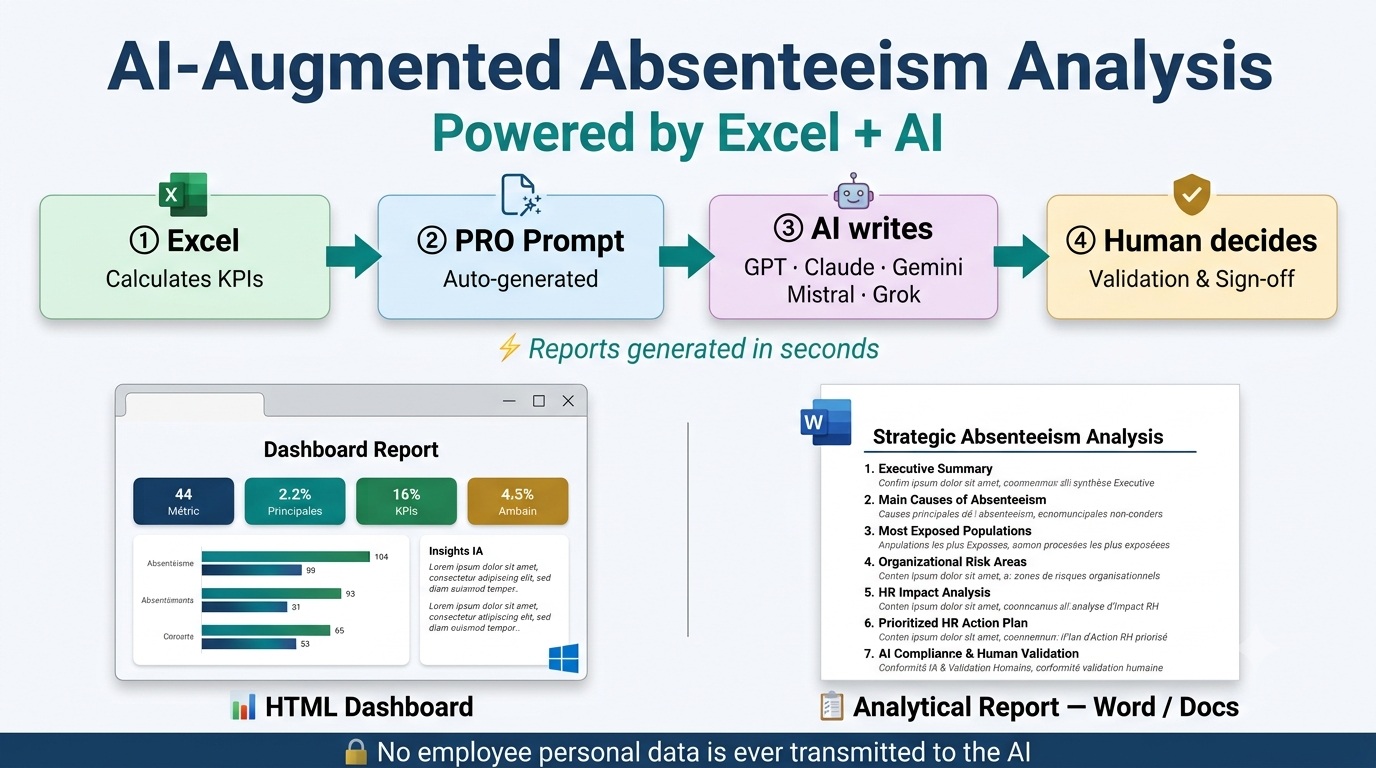
This Excel template is a powerful AI prompt generator designed for strategic absenteeism analysis.
It automatically calculates key absenteeism KPIs, applies HR business rules, and generates a highly structured prompt ready to be used with your preferred AI model. In just a few seconds, it produces a comprehensive strategic report highlighting exposed employee populations, key absenteeism drivers, organizational risk areas, and a prioritized HR action plan.
No programming or prompt engineering skills are required.
Designed for HR leaders, HR managers, workforce analytics professionals, and executive teams, the solution helps preserve data privacy by ensuring that no personally identifiable employee data is sent to the AI. The final report also includes a formal human validation section to support responsible and compliant AI-assisted decision-making.
With this template, you acquire a professional-grade prompt engineering engine, specifically designed to unlock the full potential of AI and deliver clear, structured, and directly actionable HR analyses.
This tool marks a paradigm shift in HR reporting. Moving beyond traditional dashboards that merely display static charts and numbers, it acts as a true AI-augmented decision-support assistant.
Its core value proposition is built around six complementary pillars:
Reliable KPI Calculation (Zero Math for AI): Excel handles the heavy lifting. It calculates all KPIs, applies filters, aggregations, and strict HR business rules, then generates the prompt. The AI performs absolutely no calculations: it focuses solely on analyzing pre-processed indicators. This architecture ensures the consistency, traceability and auditability of the KPIs used in the report.
Deep Data Interpretation: Guided by the Excel-generated prompt, the AI brings your HR metrics to life. It gives meaning to the numbers, identifies meaningful patterns, concentrations, and relationships that may be difficult to detect through manual review alone. It automatically generates insightful, context-rich commentary for every KPI and chart.
Executive Storytelling: By integrating your company’s specific business context, the AI produces a self-explanatory, educational, and highly accessible report. Even managers without a strong data background will instantly grasp the current situation and the strategic stakes at hand.
Actionable Strategy: Moving beyond mere observation, the AI formulates practical, strategic, and prioritized HR recommendations. Directly linked to the report’s findings, this action plan empowers decision-makers to take the right actions at the right time.
Privacy and Data Protection: The Excel file operates 100% locally on your computer. Absolutely no personal employee data is transmitted to the AI. Only consolidated, anonymized KPIs are included in the prompt, helping preserve employee data confidentiality while supporting GDPR compliance.
AI Compliance & Human Governance: The final report adheres to strict AI transparency standards, clearly stating that it was machine-generated. It features a dedicated human validation section, ensuring that the analysis only becomes an operational directive after explicit review and approval by an authorized decision-maker.
Two professional deliverables generated by AI
Thanks to the unique architecture of the Excel-generated prompt, the best AI models on the market automatically produce two ready-to-use report formats, depending on your needs:
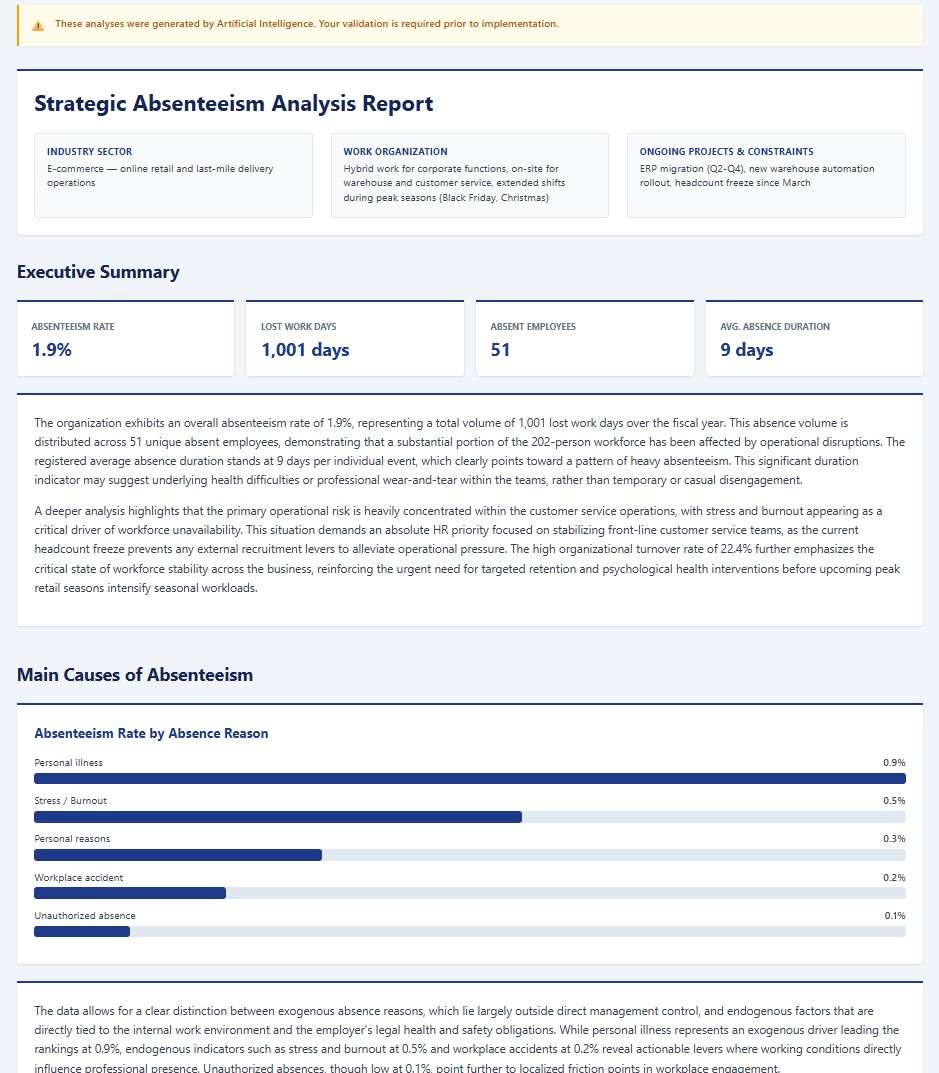
🖥️ Dashboard Report (Full) — Augmented Reporting
A modern HTML report with an “app-like” design, built for screen presentations in executive committee (CODIR) meetings. It features integrated bar charts, KPI cards, and a structured action plan, accompanied by clear and synthetic analysis (Experienced Consultant Level). The design is customizable: choose from 8 visual styles (light, dark, corporate, or colorful) to match your brand identity. (Recommended with Claude, Gemini, or ChatGPT Plus).
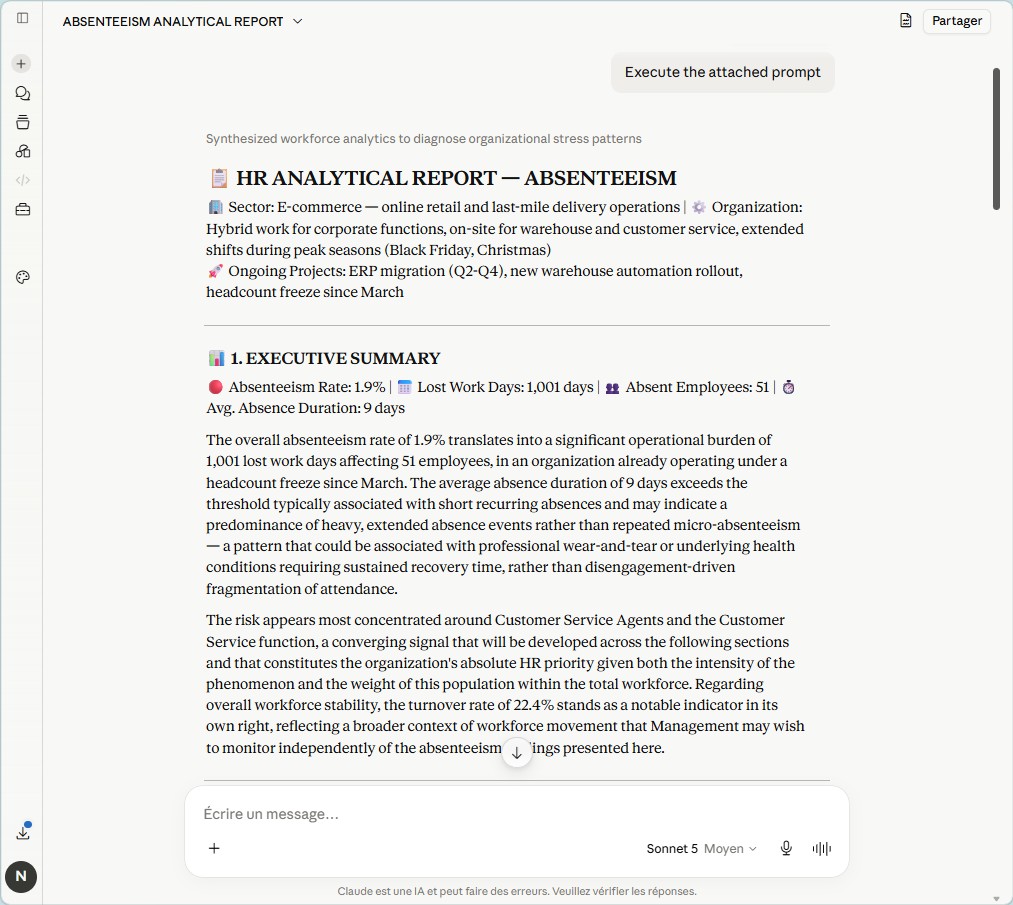
📋 Analytical Report (Lite) — Expert Consulting Note
An executive summary in rich text, directly copy-pasteable into Word or Google Docs. Freed from the constraints of generating visual code, the AI deploys its full cognitive power here to deliver an in-depth strategic analysis, cross-referencing weak signals with the company’s context (Senior Consultant Level). Compatible with all AI tools on the market (including free versions).
The 7 sections of the AI analysis report
📊 Executive Summary
A comprehensive overview of the situation in developed analytical paragraphs, leveraging all 4 steering KPIs: absenteeism rate, lost work days, number of absent employees, and average absence duration. Qualifies the nature of absenteeism (heavy vs. micro-absences) and concludes on the absolute HR priority.
🔍 Main Causes of Absenteeism
Analysis of the Top 5 absence reasons, distinguishing between endogenous (workplace accidents, unauthorized absences — direct employer action levers) and exogenous (illness, personal reasons — indirect levers). Identifies the most actionable strategic reduction opportunity.
👥 Most Exposed Populations
Cross-referencing of demographic dimensions (age bracket, seniority, professional category) to identify exposure profiles. Highlights professional wear-and-tear phenomena and the mass effect of at-risk populations.
🏢 Organizational Risk Areas
Risk concentration mapping by occupation, department, and division. Identifies weak links in the value chain and justifies a targeted rather than uniform action policy.
📉 HR Impact Analysis
Measures exactly where the organization loses the most working capacity in absolute volume of lost work days. Demonstrates the leverage effect of concentrated action on the maximum risk zone.
✅ Prioritized HR Action Plan
3 concrete, directly executable actions ranked by priority (1 High, 2 Medium). Each action is linked to a specific report finding and a strategic focus area (Health/Safety, Quality of Work Life, Frontline Management, Work Organization)
⚠️ AI Compliance & Human Validation
The final report clearly states that it was generated by AI. It includes a formal decision area with a compliance notice, Approval/Rejection options, a justification field, and a signature block, ensuring complete traceability for audits.
Is this template right for you?
✅ You already use an absence tracking tool (including Attendance Dashboard) and want to move to strategic analysis.
✅ You prepare absenteeism reports for an executive committee, HR Director, or board.
✅ You want to go beyond merely tracking absenteeism and discover concrete, actionable levers to reduce it sustainably.
✅ You need an immediately operational solution, with no programming or prompt engineering skills required.
❌ This template does not replace your administrative absence tracking tool. It complements it by adding the strategic analysis and recommendation layer that traditional dashboards simply cannot produce.
Use in 4 steps, in just a few minutes
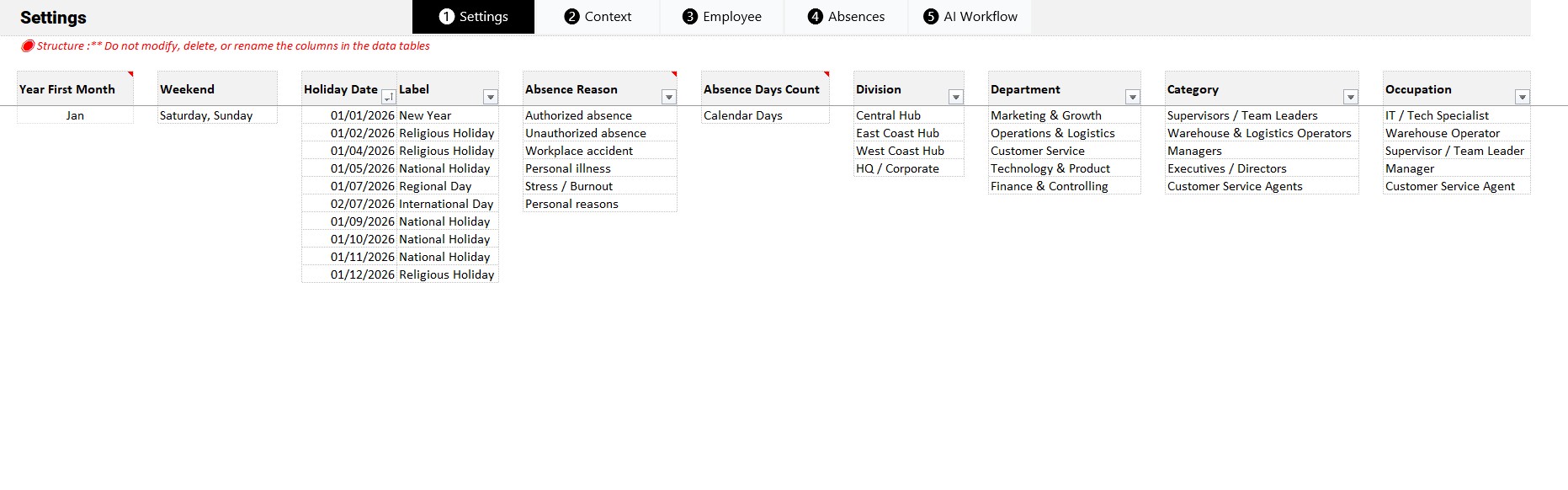
- Settings: define absence reasons, departments, occupations, etc.
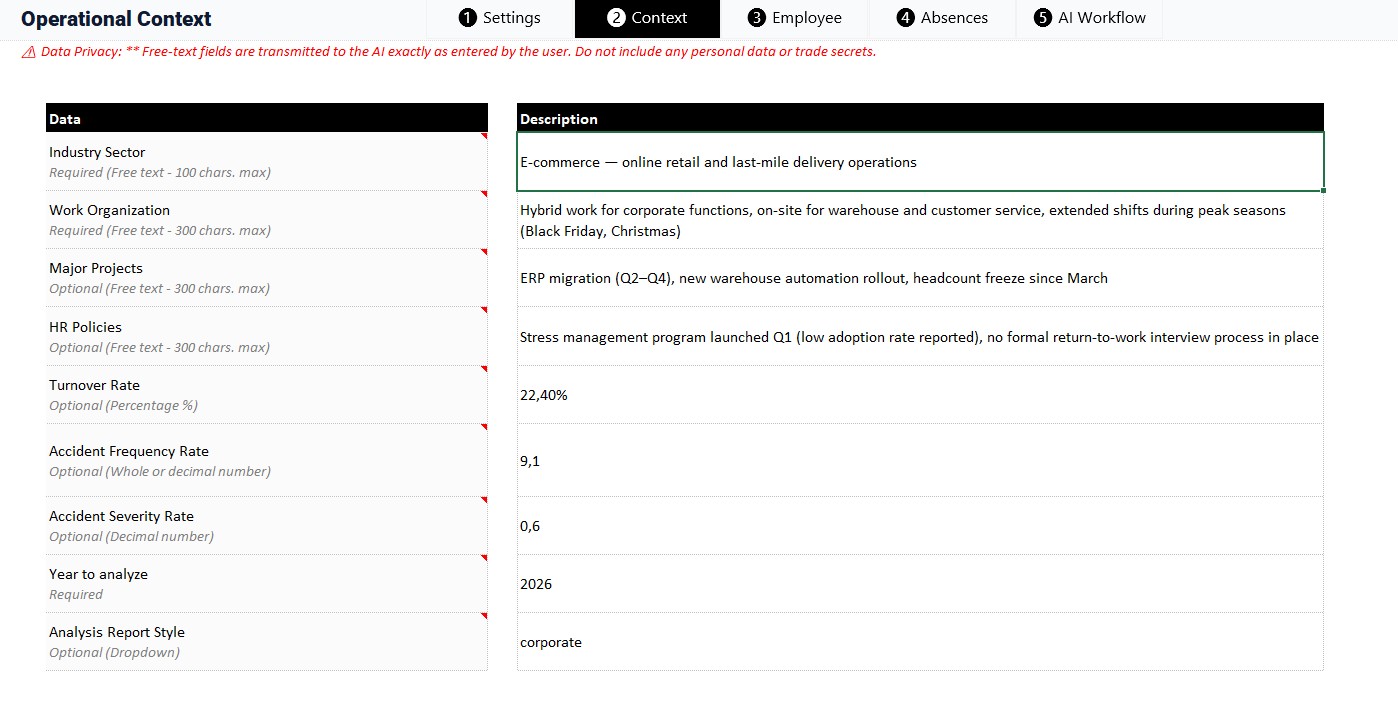
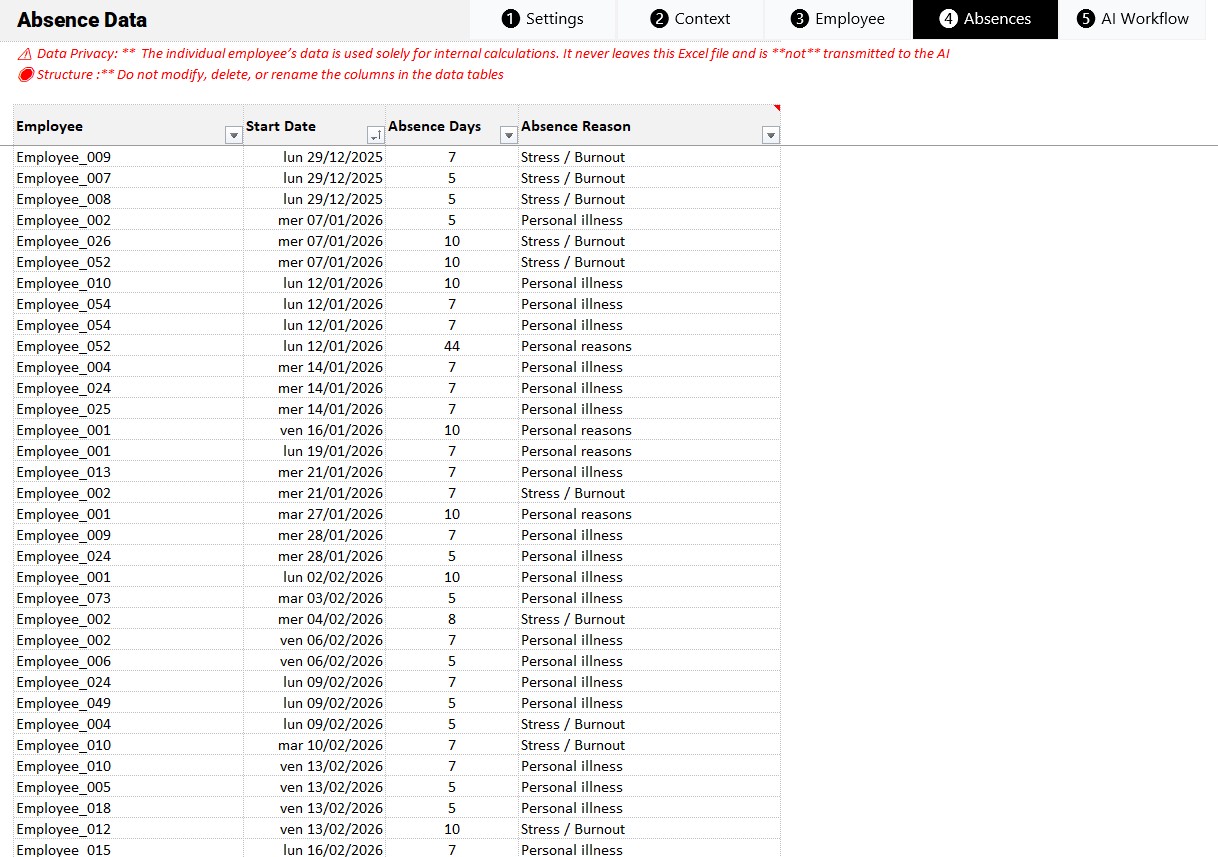
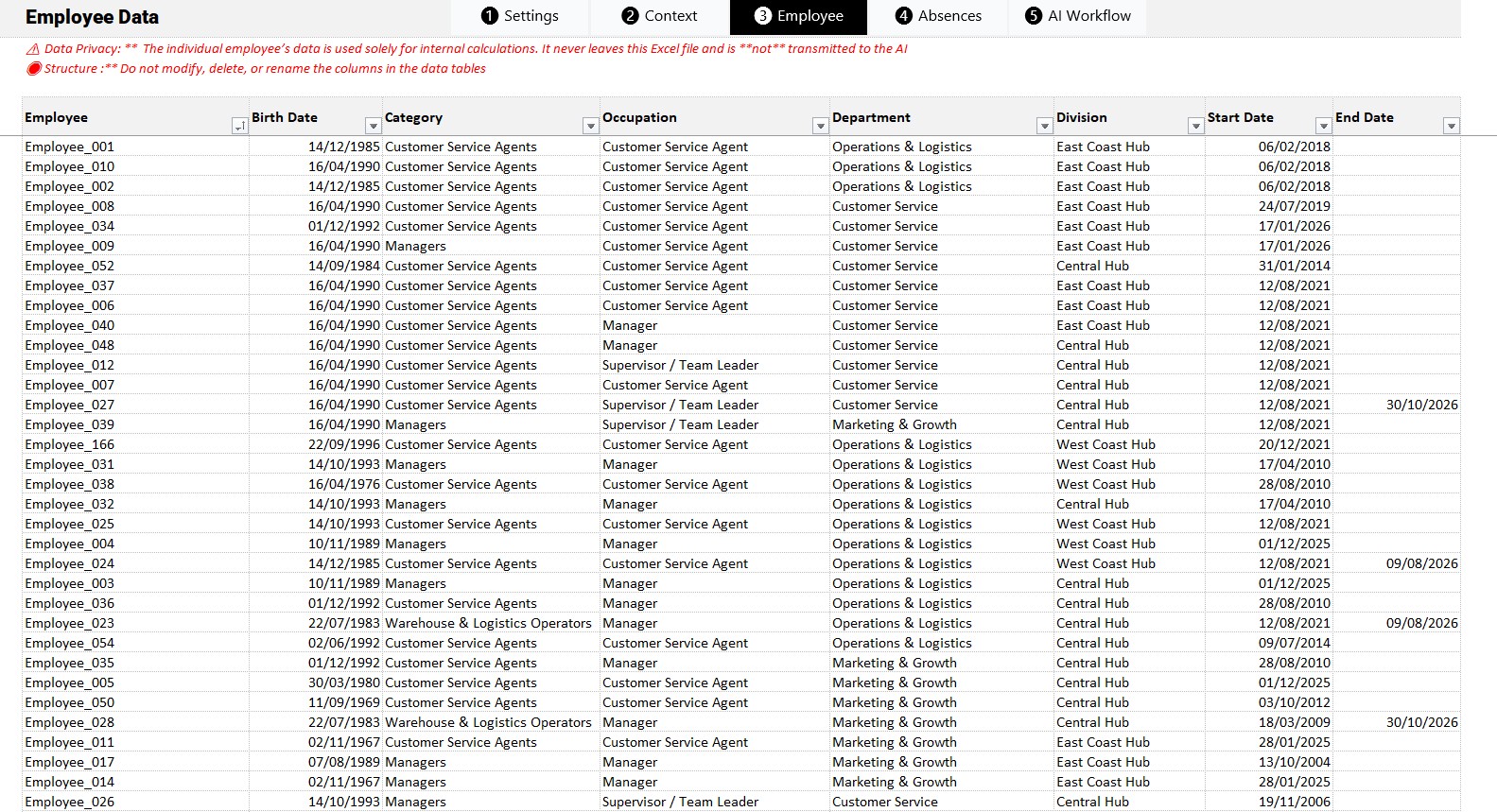
- Enter data: fill in your data, including company context, employees and absences.
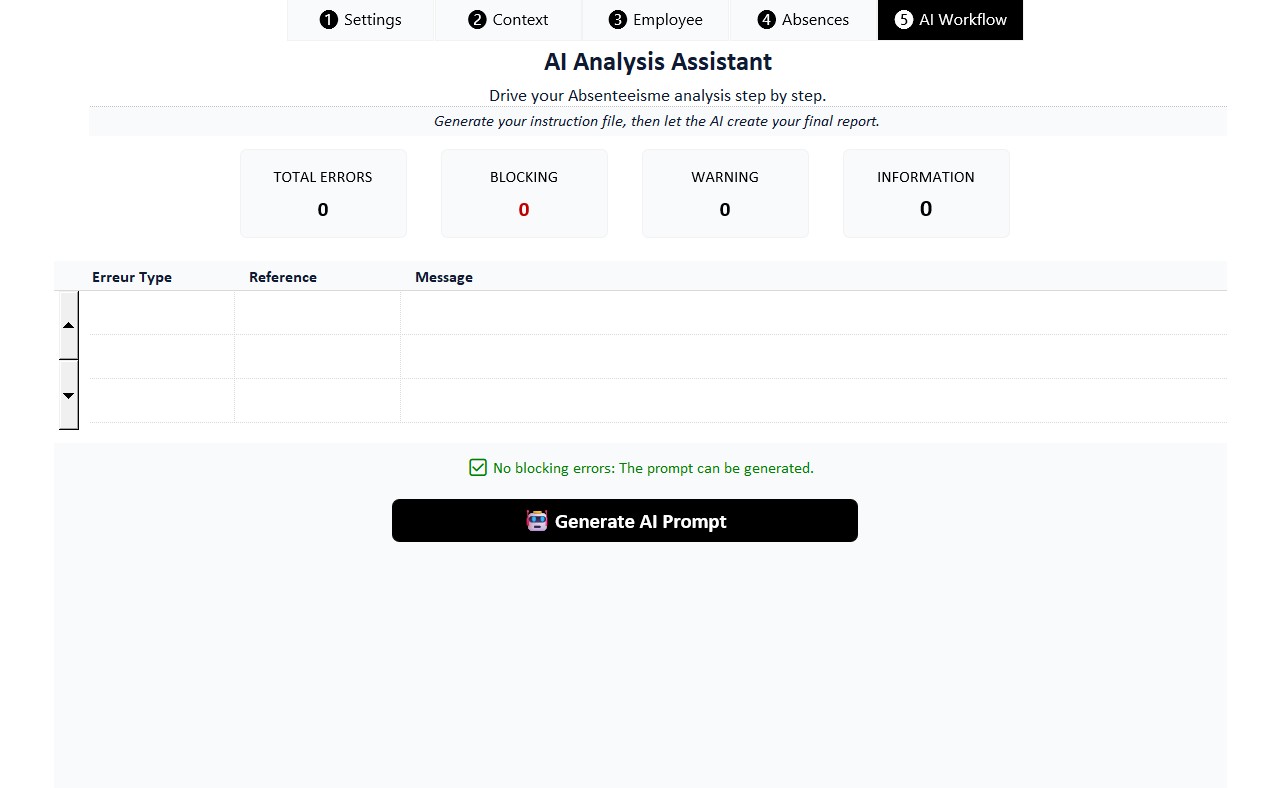
- Generate: click a button to automatically generate the 2 prompt files on your desktop.
- Analyze: drag and drop the prompt into the AI tool of your choice → report ready in under 60 seconds.
DISCLAIMER
The analyses and recommendations generated by the AI are provided solely as decision-support guidance. They do not replace the expertise, professional judgment, or oversight responsibilities of the user. All indicators and KPIs are calculated by Excel based on data supplied by the user, while the AI is limited to analyzing and interpreting those indicators. Any HR, financial, operational, or strategic decisions remain the sole responsibility of the users and authorized decision-makers.
Video:
Template Requirements and How to Use:
- Works on PC with Windows.
- Does not work on MAC.
- Requires Microsoft Excel 2019 or higher
- Allow Macros to run (enable content when opening file).
- Access to an AI: Claude, Gemini, ChatGPT, Mistral, or Grok (free web interfaces are sufficient). No paid subscription required for basic use.
- Ready-to-use template, just enter or import your data.
Customizable template:
Colors, fonts, and all style attributes can be changed to suit your needs. If you want to make changes on your own, just enter the password included with the file to unlock the template.
Included in the download:
- A template with sample data
- An empty template, ready to receive your data
- A complete user guide, including the HR business rules white paper
Download link:
- Downloads are available from your account once your payment is confirmed.
Warning:
We have put a lot of effort into providing you with a quality work tool at a reasonable price. We kindly ask you to respect the copyright so that we can continue to exist, develop and improve our services. Thank you.
Once purchased, it is prohibited to resell, redistribute, sublicense, assign or transfer this file to anyone in any form. Please read our terms and conditions before purchasing this product.
| Software | Microsoft Excel |
|---|


